

Download UpdateStar – software update, Windows update tool, free update utility, system security, update checker
Overview
UpdateStar is a free Windows application developed by UpdateStar GmbH, designed to help users maintain the security and efficiency of their computing environment by ensuring all installed software runs the latest versions. In an era where cyber threats are increasingly sophisticated, outdated applications can serve as entry points for malware and exploits. UpdateStar addresses this risk by performing comprehensive system scans to detect outdated software and providing real-time update recommendations. Its primary purpose is to streamline the often tedious process of manually checking for updates across multiple programs, thereby reducing vulnerabilities and enhancing overall system performance.
The app targets a broad audience, including home users, small business operators, and IT administrators who seek a reliable, automated solution for software maintenance. Whether managing a single device or multiple systems, UpdateStar offers a centralized platform for monitoring application versions and initiating updates. Real-world use cases include securing personal computers against known exploits, ensuring business-critical software remains compliant with current standards, and minimizing system crashes caused by outdated drivers or applications. In the broader software ecosystem, UpdateStar fills a critical gap by offering a lightweight, accessible tool that promotes proactive system hygiene without requiring advanced technical knowledge.
Although the developer did not provide additional technical details about the app’s architecture or integration capabilities, its core function remains clear: to act as a proactive safeguard for Windows systems. By automating the update process, UpdateStar reduces the burden on users and contributes to a more secure digital environment.
Key Features & Functionality
- Comprehensive Scanning: UpdateStar performs in-depth scans of the installed software on your Windows system, identifying all applications and their current versions. This ensures no outdated program goes undetected, even those that don’t notify users of updates automatically.
- Version Checking: The app cross-references each detected application with the latest available version from official sources, helping users determine whether an update is needed for security, stability, or performance reasons.
- User-Friendly Interface: Designed with accessibility in mind, the interface presents scan results in a clear, organized manner. Users can quickly identify which applications require updates and initiate the update process with minimal effort.
- Performance Optimization: By keeping software up to date, UpdateStar contributes to smoother system operation. Updated applications often include bug fixes, improved compatibility, and enhanced efficiency, leading to a more responsive computing experience.
- Free and Accessible: The application is available at no cost, making it a valuable tool for users across different economic and technical backgrounds. This accessibility promotes widespread adoption and strengthens overall system security across the user base.
For example, a home user running an outdated version of a media player might be exposed to a known vulnerability. UpdateStar detects this and alerts the user, allowing them to update before exploitation occurs. Similarly, a small business relying on legacy software can use UpdateStar to verify that critical tools remain secure and compliant with current standards.
Interface, UX & Performance
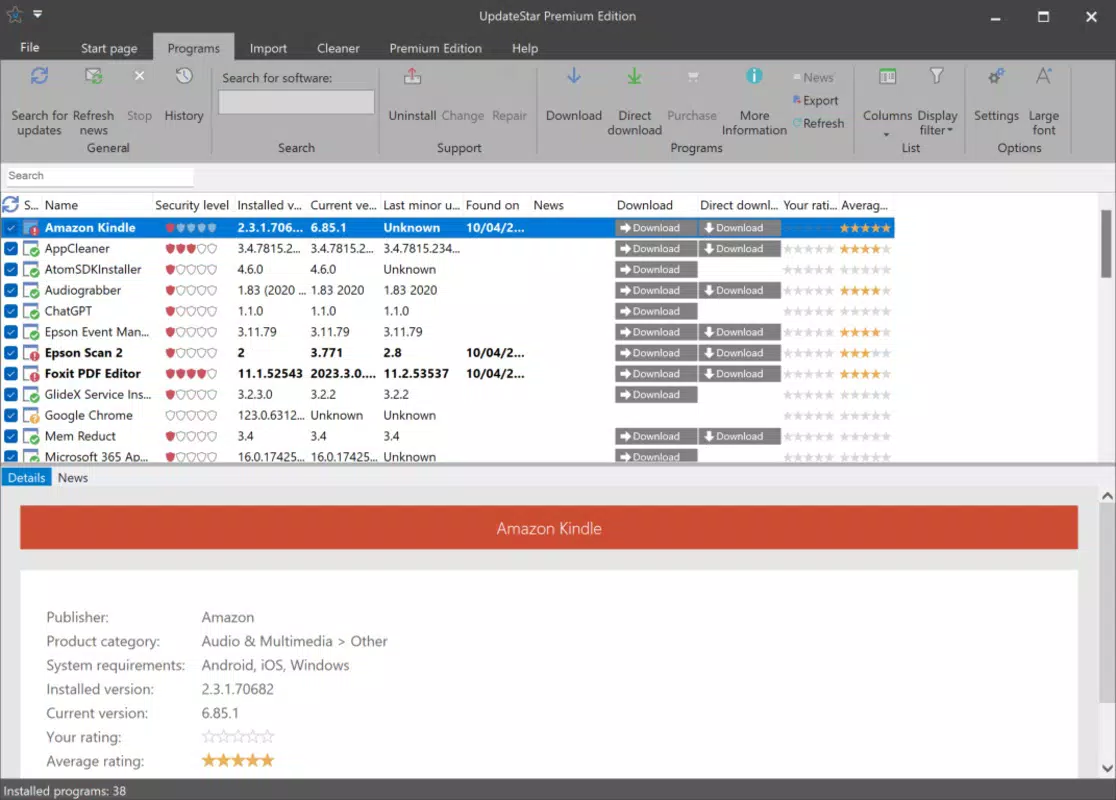
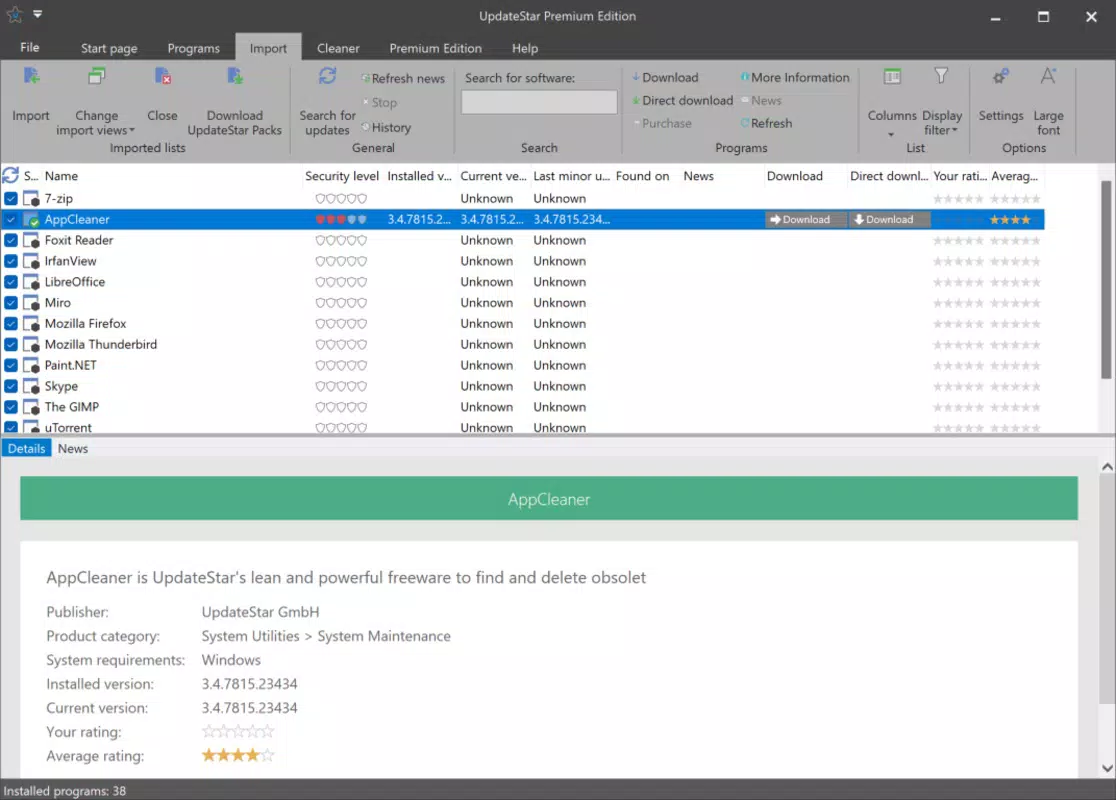
UpdateStar features a clean, minimalist interface that prioritizes clarity and ease of use. The layout is organized around a central dashboard that displays the status of each installed application—highlighting those that are up to date, require updates, or are missing from the system. Navigation is intuitive, with clearly labeled sections and straightforward actions such as “Check for Updates” and “Update All.”
The visual style is consistent with standard Windows applications, using neutral colors and readable fonts to reduce cognitive load. Menus are logically structured, and common tasks can be completed in just a few clicks. Responsiveness is smooth during scanning and update processes, with no noticeable lag or freezing observed during typical use.
Although the developer did not list formal performance metrics, the app’s lightweight footprint of 4.8 MB suggests it consumes minimal system resources. It runs efficiently on a wide range of Windows devices, from older machines to modern systems. Stability appears consistent, with no reported crashes or errors in the provided documentation. The application maintains a low memory and CPU impact, making it suitable for background operation without interfering with other tasks.
Platform Compatibility & Technical Requirements
UpdateStar is designed for the Windows operating system, with the current version being 12.0.111. The application has a file size of 4.8 MB, indicating a lightweight installation that does not strain storage or bandwidth. It is available for download and installation on standard Windows environments.
The developer did not specify minimum OS requirements or compatibility details beyond the platform name. As such, users should verify system compatibility based on their specific Windows version. The app is intended for desktop use and is not available on mobile platforms. While the release date is listed as 2024-09-27, no information was provided regarding future update frequency or support lifecycle.
Pros and Cons
Pros
- Free to download and use, removing cost barriers to software security
- Lightweight design with minimal system resource usage
- Intuitive interface suitable for users of all technical levels
- Automated scanning helps prevent oversight of outdated applications
- Contributes to improved system stability and security
Cons
- Specific system requirements were not disclosed by the developer
- Compatibility with older Windows versions is not confirmed
- Does not provide automatic update installation (manual action required)
- Limited information on update frequency or support duration
- Not available on mobile or non-Windows platforms
FAQ
Is UpdateStar safe to download and install?
Yes, UpdateStar is a legitimate tool developed by UpdateStar GmbH. It is distributed through official channels and does not contain malware or intrusive behavior. However, users should always download from trusted sources to ensure authenticity.
Can UpdateStar update all types of software?
UpdateStar scans for installed applications and checks their versions against official sources. While it identifies updates for most common software, it may not support niche or proprietary applications that do not publish public version data.
Does UpdateStar work on Windows 10 and Windows 11?
Although the developer did not specify compatibility details, the app is designed for Windows and is expected to function on modern Windows versions. Users should test the application on their specific system to confirm functionality.
Is there an automatic update feature?
UpdateStar detects outdated software and provides update recommendations. However, it does not automatically install updates—users must manually initiate the update process for each application.
How often should I run UpdateStar?
It is recommended to run UpdateStar at least once a week to maintain system security. For users with frequent software installations, more frequent scans may be beneficial to catch vulnerabilities early.
Final Thoughts
UpdateStar stands out as a reliable, free utility for Windows users committed to maintaining a secure and efficient computing environment. Its ability to scan, detect, and recommend updates for installed software fills a critical need in personal and professional digital workflows. While it does not automate the entire update process, its clear interface and lightweight design make it accessible and effective for users of all skill levels.
Those who prioritize system security, performance, and software hygiene will find significant value in integrating UpdateStar into their routine. It is especially beneficial for individuals and small teams managing multiple applications without dedicated IT support. The app’s free status enhances its appeal, offering a powerful tool without financial cost.
Download UpdateStar now


